
Frontline Access (SSO Login)
Access from LearnPlatform:
1. From your computer, open Chrome and navigate to LearnPlatform. home.campbell.k12.va.us
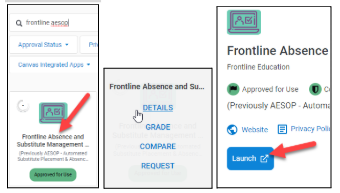
2. Search for Frontline Aesop to locate the correct tile and click on it. Click Details. Click Launch.
3. Log into Microsoft with your work email and password if prompted. |
|
|
4. Click on Absence Management (formerly Aesop) from the landing page. |
|
|
5. If you have multiple roles in Frontline, click on the drop-down menu beside your name to switch roles. |
|


Access from Website: https://bit.ly/3EBZrpQ
|
|
|
|
|
|
|
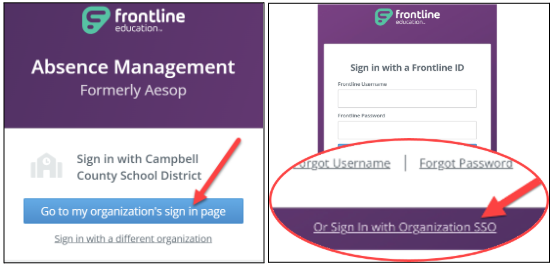
From Frontline app:
|
|
|
|
|
|
|
|
|
|
|
|


